
Since WeIntegrate launched, one question has come up more than almost any other from B2B merchants, wholesalers, and accountants managing Shopify stores with net payment terms: when do Invoices, Payments, and Credit Memos arrive?
Today we can share that they’re here — in private preview, running with a select group of merchants, and on track to become available to all WeIntegrate customers. Here’s what’s coming, how it works, and why it matters for the merchants who’ve been asking for it.
Stop wasting hours on error-prone manual entry or summary journals. Get the #1 trusted automated instant accounting solution. Penny-accurate, real transaction details — instantly.
Start Your Free TrialTwo Modes, One Integration
WeIntegrate has always created real QuickBooks Online (QBO) transaction documents — never aggregated journal entries. That philosophy doesn’t change with the new mode. What changes is which documents get created.
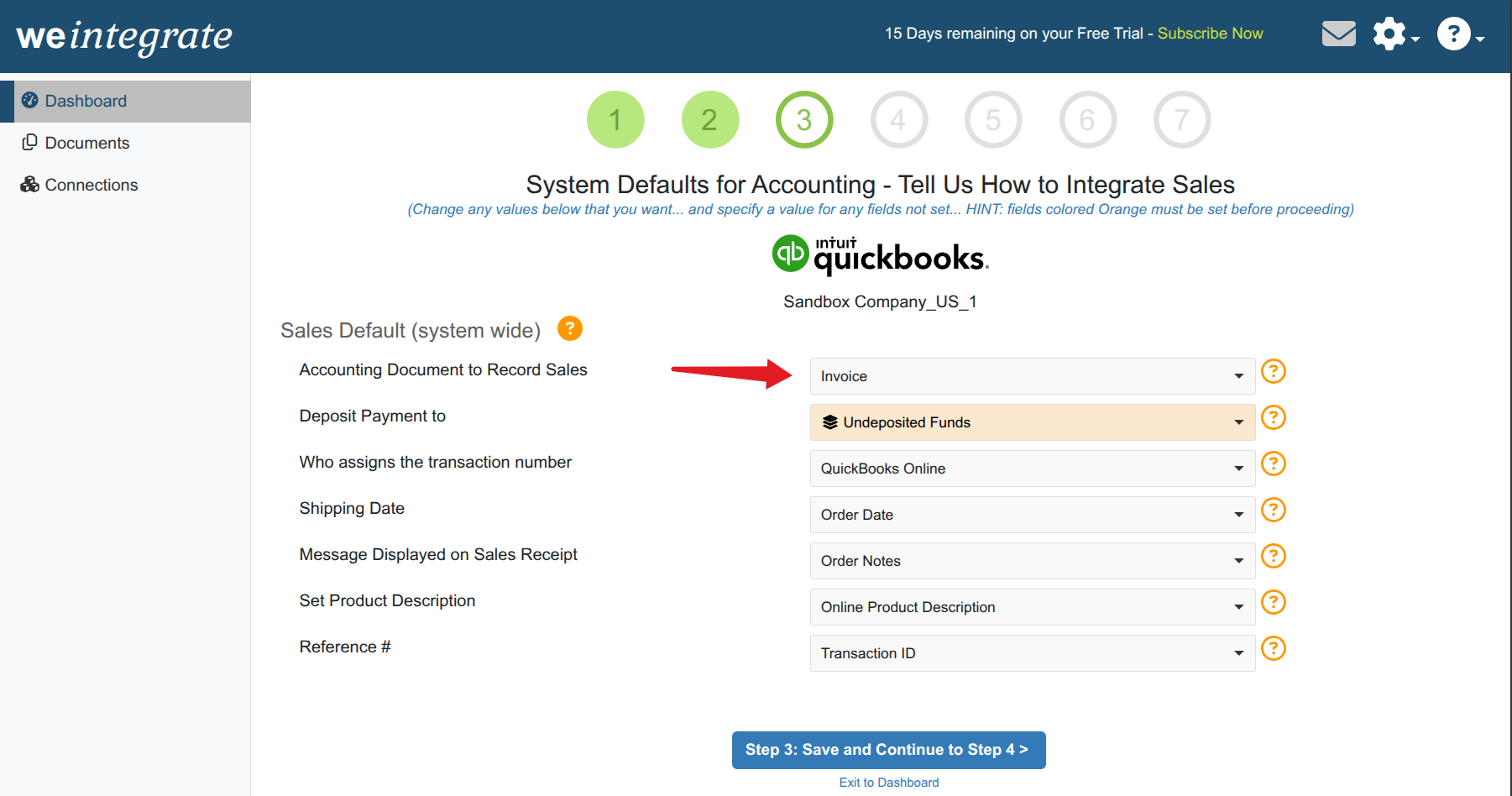
The Record Sales Type setting in WeIntegrate’s Sales Defaults controls this at the account level. Two options:
Sales Receipt (the existing default) — WeIntegrate creates Sales Receipts for paid Shopify orders and Refund Receipts for refunds. Payment-first: orders stay pending until Shopify marks them paid, then the Sales Receipt is created in QBO. This is the right structure for standard ecommerce, retail, and cash-at-purchase Shopify stores.
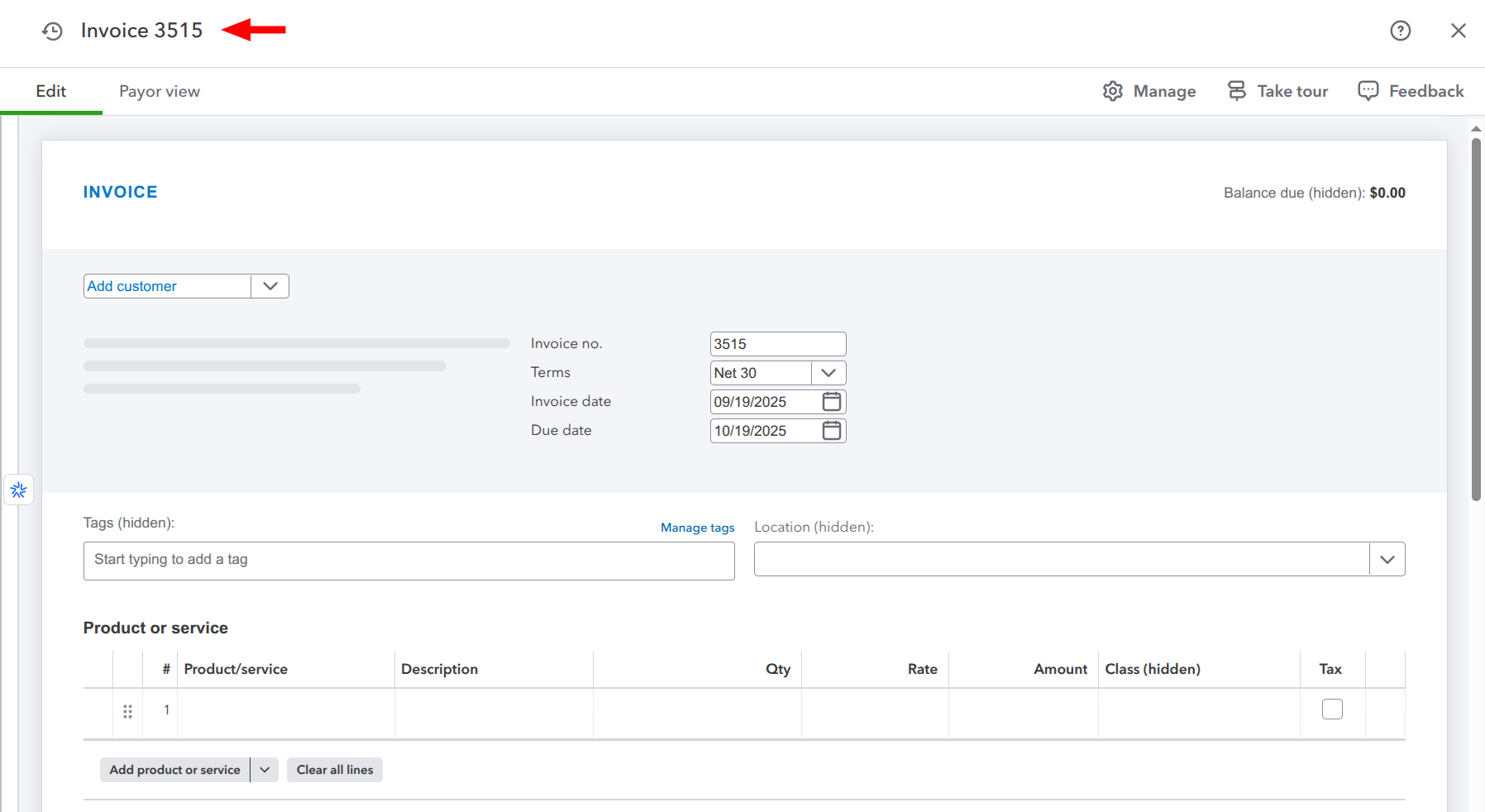
Invoice (the new option in preview) — WeIntegrate creates Invoices for Shopify orders the moment they’re placed, regardless of payment status. When payment is received on Shopify, WeIntegrate records the Payment in QBO and updates the Invoice status. Refunds generate Credit Memos instead of Refund Receipts.
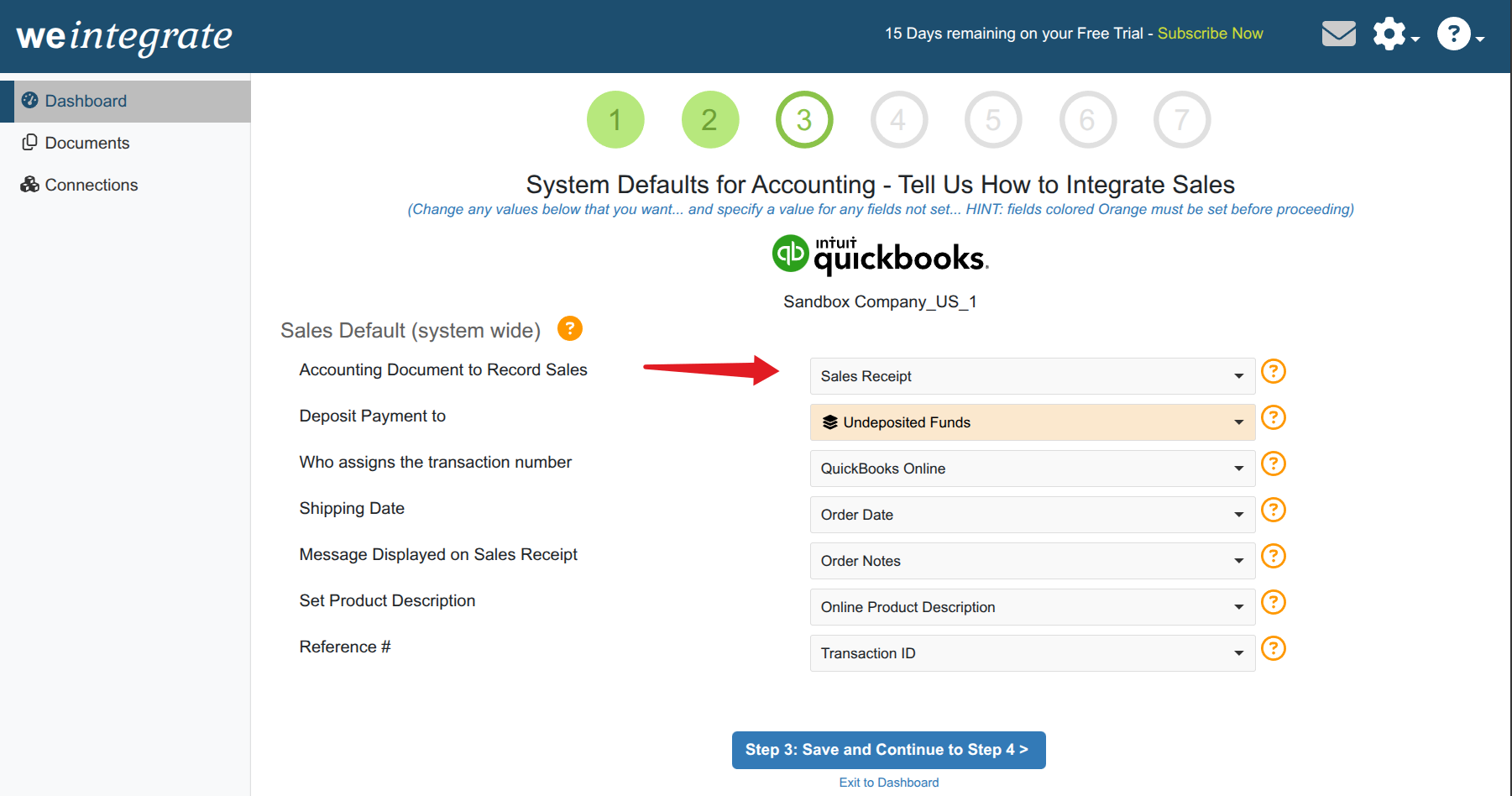
How Sales Receipt Mode Works
Sales Receipt mode is built around collected revenue. An order placed on Shopify sits in a pending state in WeIntegrate until Shopify confirms payment received. Only then does WeIntegrate create the Sales Receipt in QBO.
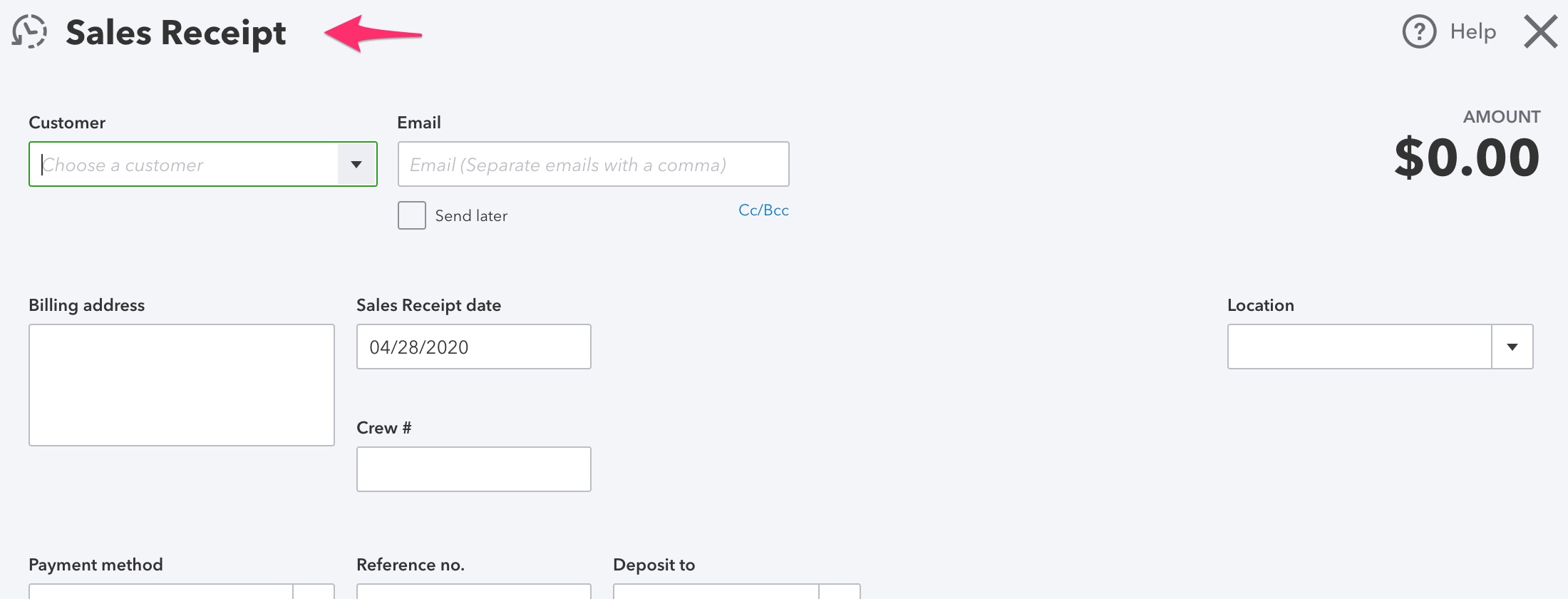
This approach matches how most Shopify stores operate: payment is collected at checkout, the transaction is complete before fulfillment begins, and the accounting record reflects a fully settled sale. It’s the right structure for direct-to-consumer (DTC) ecommerce where every order is a cash transaction.
How Invoice Mode Works
Invoice mode is built for merchants where the sale happens before payment arrives — B2B orders on net terms, wholesale accounts with Net 30 or Net 60 payment windows, or any Shopify workflow where the order is placed and then invoiced.
When a Shopify order comes in, WeIntegrate creates the Invoice in QBO immediately. The sale is recorded the moment the order exists, not when payment clears. Payment terms from the Shopify order flow into the Invoice. When Shopify reports payment received, WeIntegrate records the Payment in QBO against the open Invoice and updates its status.
For refunds, Credit Memos replace Refund Receipts. A Shopify refund creates a Credit Memo in QBO against the original Invoice — reducing accounts receivable and properly crediting the customer’s account, exactly as accrual accounting requires.
Who Invoice Mode Is Built For
The two modes reflect two genuinely different accounting structures:
- Sales Receipt mode: ecommerce merchants who collect payment at purchase, retail operations, standard Shopify direct-to-consumer stores
- Invoice mode: B2B merchants, wholesale operations, Shopify stores with net payment terms, merchants who practice accrual accounting and need revenue recognized at the time of sale rather than at the time of payment
If your Shopify store serves business customers who pay on terms — or if your accountant manages your books on accrual basis and needs QBO to reflect sales when they’re made, not when checks clear — Invoice mode is the configuration you’ve been waiting for.
Private Preview: What This Means
Invoice, Payment, and Credit Memo support is running with select WeIntegrate customers now. This private preview phase allows us to validate the feature across real merchant configurations before making it available to everyone.
If you’re on WeIntegrate and this is the feature your Shopify accounting has been missing, reach out to the WeIntegrate team directly. Full general availability is coming.
The full configuration details — including how to access Record Sales Type in your WeIntegrate settings — are in the WeIntegrate Record Sales Type documentation.
Start your free 15-day trial of WeIntegrate and get set up before the full launch. No credit card required.